
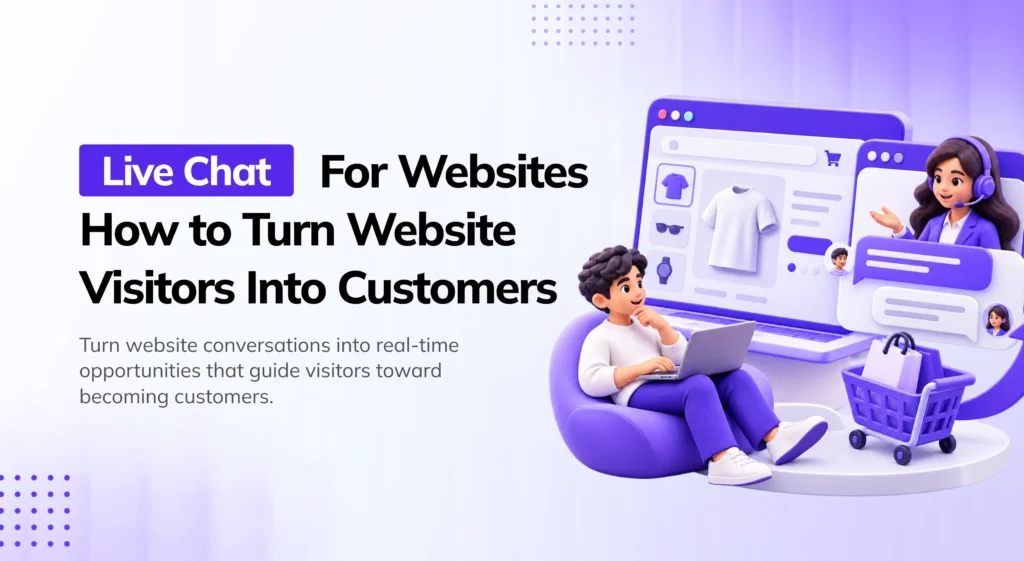
I used to think our website’s problem was traffic. More visitors, more sales — that was the whole plan. Then I actually watched a session recording of someone browsing our pricing page for six minutes, hovering over the same button three separate times, and leaving without buying anything. Nobody asked them what was wrong. Nobody could. There was no way for them to ask us either.
That’s the moment live chat stopped being a “nice to have” widget in my head and started being the missing piece of the funnel.
Most visitors don’t arrive on your website ready to hand over their credit card. They’re comparing, hesitating, or stuck on one specific question that a product page just wasn’t written to answer. Live chat exists to catch that exact moment — the point where a visitor is either about to convert or about to leave, and a real answer in the next thirty seconds decides which one happens.
This guide walks through why live chat works, the data behind it, and exactly how to set it up so it actually turns visitors into customers — not just another icon in the corner of your site nobody clicks.
Why Live Chat Converts Better Than Almost Anything Else on Your Site
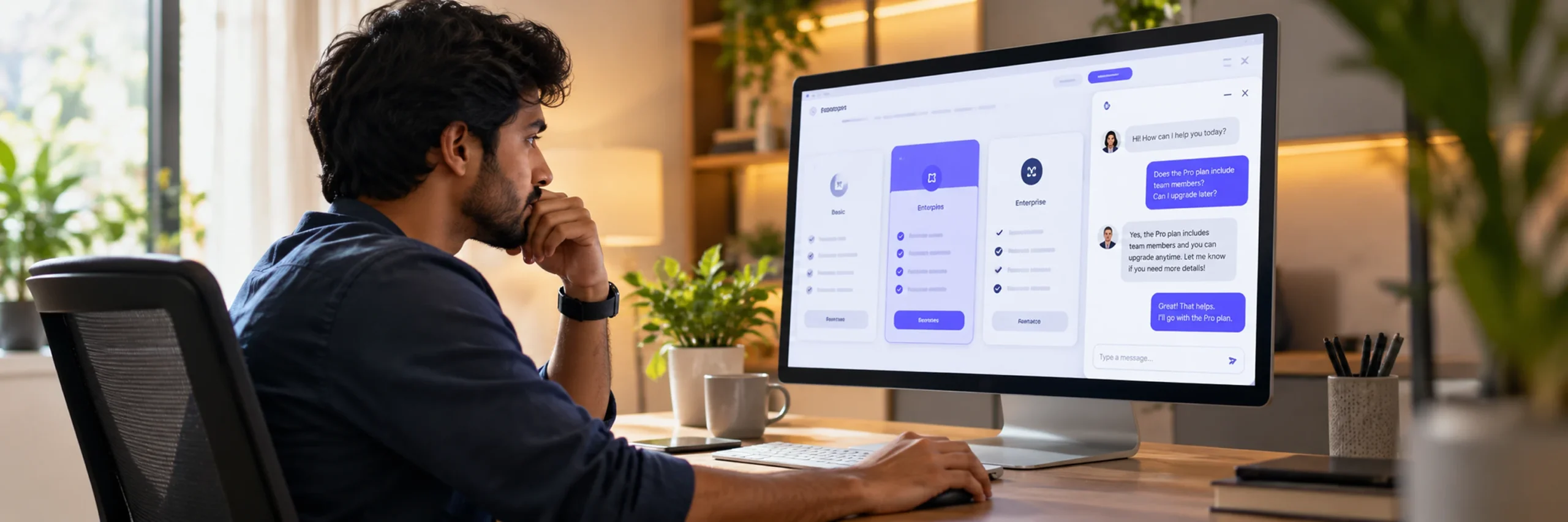
Here’s the uncomfortable truth about most website traffic: the vast majority of visitors leave without ever telling you why.
A contact form doesn’t fix this — filling one out means writing a message, hitting send, and then waiting, often hours, for a reply. By the time that reply lands, the visitor’s moved on, bought from a competitor, or simply forgotten why they were interested. Live chat removes almost all of that friction. The visitor asks; someone answers, right there, while the intent is still fresh.
The data backs this up more strongly than almost any other on-site optimization tactic:
- Forrester’s Customer Experience Index has found that customers who experience real-time chat are 2.8 times more likely to convert than those who don’t.
- Live chat visitors convert at 3–5x the rate of visitors who only have access to a contact form.
- Live chat can lift overall conversion rates by 10–30% for typical online businesses, with the biggest gains coming from proactive triggers and fast response times specifically.
- Live chat users spend, on average, up to 60% more per purchase than visitors who don’t use chat.
- 53% of cart abandonment happens because a customer couldn’t find the answer to a question — a category of lost revenue live chat is specifically built to intercept.
None of this happens because a chat widget is magic. It happens because live chat resolves hesitation at the exact moment hesitation is costing you the sale — which is a fundamentally different job than a support ticket answered the next morning.
The Real Driver: Response Time, Not Just the Widget
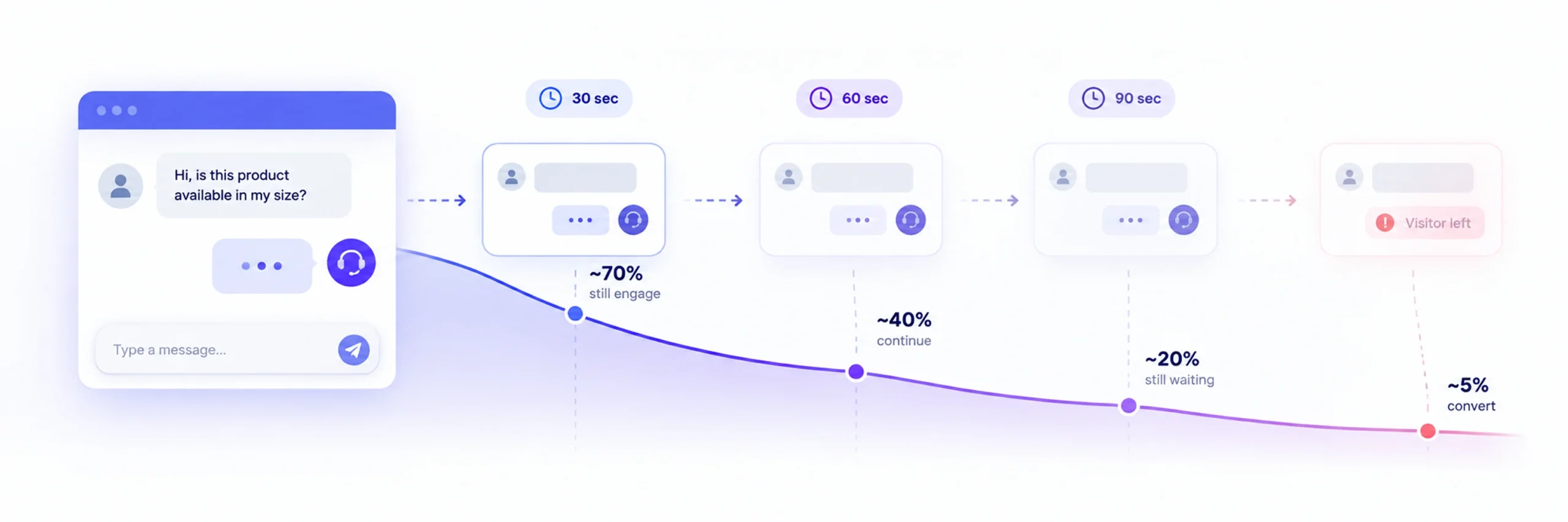
If there’s one number that determines whether your live chat actually converts or just sits there, it’s response time — and the research on this is remarkably consistent across independent studies:
- Every 30 seconds of delay on a pre-sales chat reduces conversion probability by roughly 7%.
- 53% of customers abandon a chat if they don’t get a response within 3 minutes — and they don’t wait around or switch to email; they just leave.
- 71% of consumers now expect a reply within 60 seconds of starting a chat.
- On platforms that route conversations well, the average wait before a first response is around 42 seconds — which tells you what “good” actually looks like in practice, not just in theory.
- If a response is genuinely going to take longer than usual, telling the visitor a realistic wait time (“Current wait: about 4 minutes”) reduces abandonment by roughly 20% compared to leaving them staring at silence.
The practical implication is blunt: a live chat widget with no one actively monitoring it, or one where replies routinely take five or ten minutes, isn’t really live chat — it’s a slow-motion contact form with better branding. The conversion lift only shows up when speed is actually part of the setup, not an afterthought.
Reactive vs. Proactive Chat: Why Waiting for the Click Costs You Sales
Most live chat widgets are reactive — they sit quietly in the corner until a visitor decides to click first. That’s the default, and it’s also why a lot of businesses underestimate what chat can actually do for them.
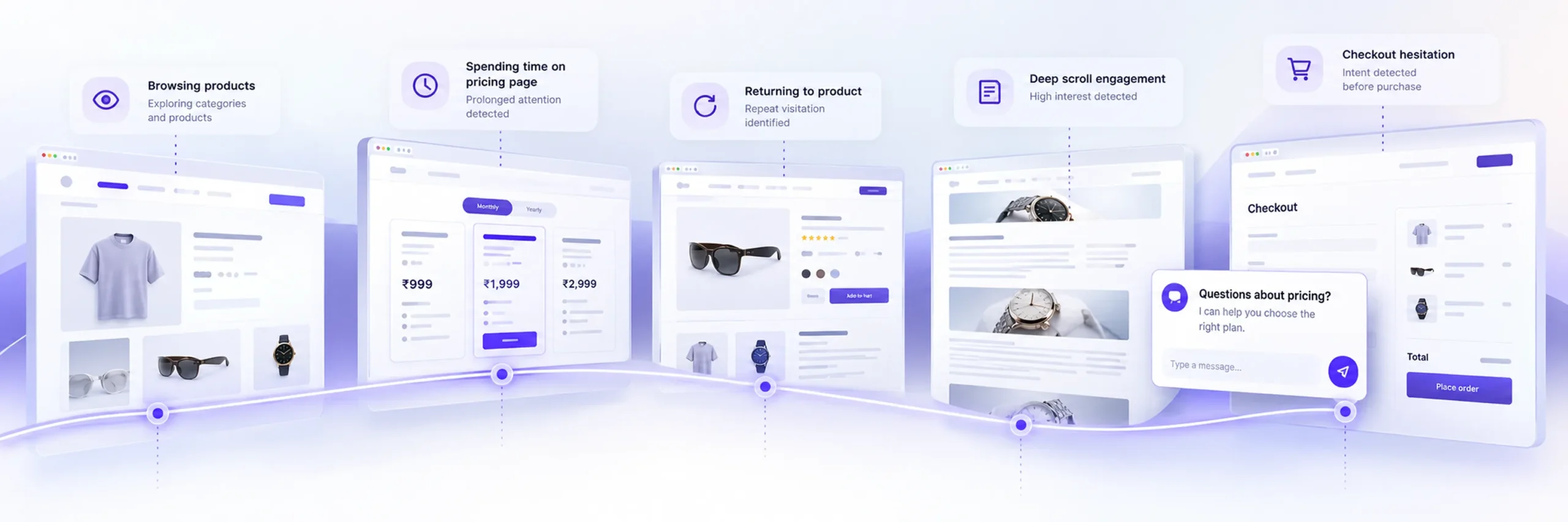
Proactive chat flips this: instead of waiting, the widget greets a visitor based on their behavior — time spent on a pricing page, a return visit, scrolling to a certain point, or sitting on a checkout page without completing it. A well-timed proactive message doesn’t interrupt browsing; it interrupts hesitation, right when a small nudge is most likely to matter.
The data on this is specific:
- Proactive chat invitations reduce cart abandonment by up to 30% by resolving last-minute doubts before a visitor gives up.
- Offering chat specifically during checkout has been shown to reduce cart abandonment by roughly 9% in cross-vendor research.
- Reactive-only chat captures just a small fraction of high-intent visitors, since most people won’t click a chat bubble unprompted even when they genuinely have a question.
A few proactive triggers that consistently perform well:
- A visitor lingers on your pricing page for more than 30–45 seconds without navigating away — a strong signal they’re comparing options or hesitating on cost.
- A returning visitor comes back to the same product or service page a second time.
- Someone reaches checkout but pauses before completing payment.
- A visitor scrolls past a certain point on a long-form service or product page, indicating real engagement rather than a quick bounce.
None of these need to feel aggressive. “Any questions about pricing? Happy to help” is a very different experience than an immediate pop-up the second someone lands on your homepage — timing and relevance are what separate proactive chat that converts from proactive chat that feels like a pop-up ad.
Live Chat Is a Sales Channel, Not Just a Support Channel
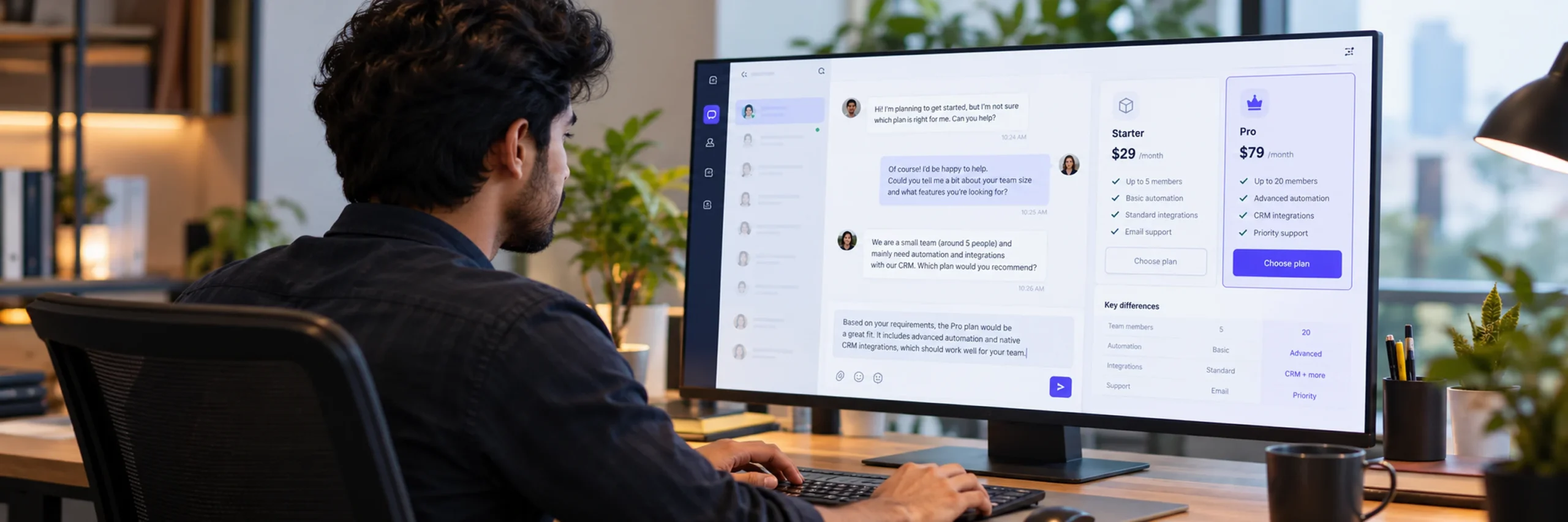
One of the most consistently underestimated facts about live chat: businesses that treat it purely as a support tool are leaving a meaningful amount of revenue on the table.
- 70% of B2B companies now rely on live chat specifically for lead generation, not just post-sale support.
- For simple, pre-purchase questions, visitors actually prefer chat over every other channel — outperforming phone, email, and social in head-to-head preference data.
- E-commerce sees some of the largest gains from chat, with chat-engaged sessions converting at dramatically higher rates than sessions without any chat interaction.
The practical shift here is about who staffs your chat and what they’re trained to do. If live chat only exists to handle “my order hasn’t arrived” tickets, it’s underused. The same widget, staffed by someone who can answer “does this integrate with X” or “what’s the difference between your two plans” in real time, becomes a genuine sales assistant — one that’s available the moment a visitor has the exact question standing between them and a purchase.
How to Set Up Live Chat That Actually Converts
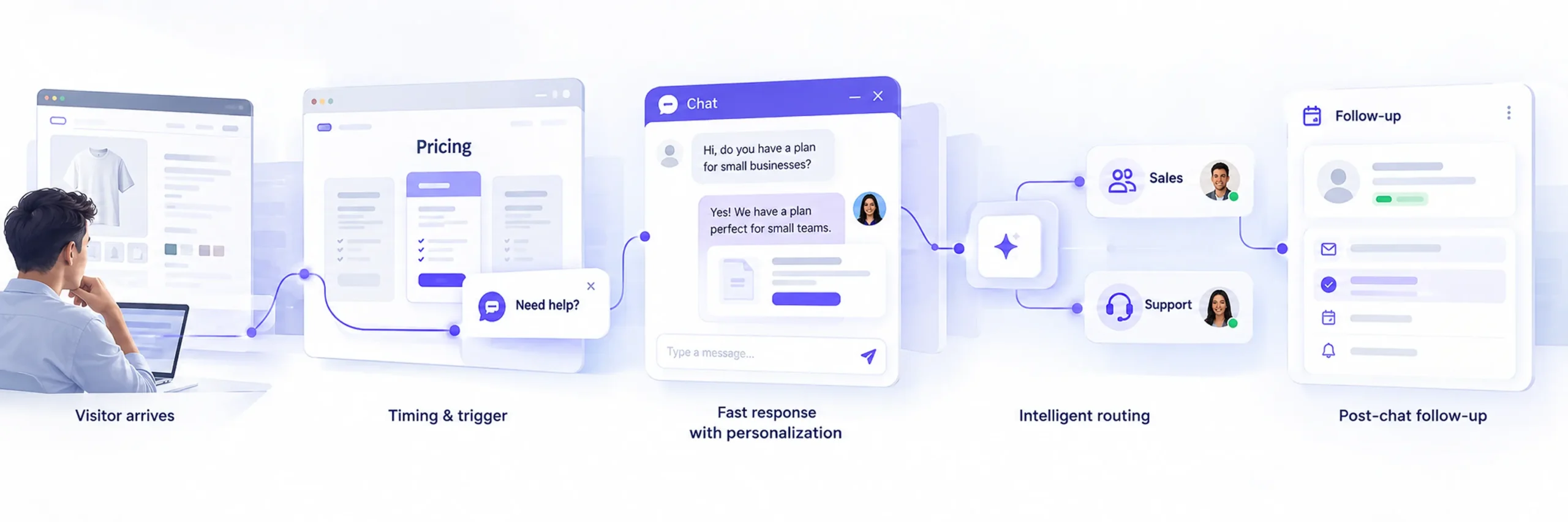
Installing a chat widget takes minutes. Setting it up so it actually moves the needle takes a bit more intention. Here’s the practical checklist:
1. Choose placement and timing that don’t get in the way
The launcher should be visible without dominating the page — bottom-right is the most familiar convention for a reason, and visitors don’t have to think about where to find it. Avoid triggering a proactive message the instant someone lands on the page; give them a few seconds to actually see what your site is before a message appears. A delay of 15–30 seconds, or a scroll-depth trigger, both tend to outperform an instant pop-up.
2. Staff it for your actual traffic hours, not just business hours
Chat volume tends to peak during specific windows — often mid-morning to early afternoon — but if your visitors are browsing at 9 p.m. and nobody’s there to answer, the widget itself can quietly hurt trust rather than help it. If you can’t staff chat around the clock, set an honest offline message and collect an email so the conversation isn’t simply lost — a delayed real answer still beats silence.
3. Set a response-time target, and treat it like a real metric
Given the data above, a reasonable target for most small businesses is a first response under 60 seconds during staffed hours. If that’s not realistic yet, a chatbot or automated first response that at least acknowledges the visitor and sets expectations (“A team member will be with you in a few minutes”) measurably reduces abandonment compared to leaving a message unanswered.
4. Use canned responses for common questions, but personalize the close
Pre-written responses save time on repetitive questions — shipping policy, pricing tiers, return windows — but the fastest way to make a visitor feel like they’re talking to a script is sending one word-for-word with no acknowledgment of their specific situation. A canned response is a starting point an agent adjusts, not a final answer copy-pasted blind.
5. Add proactive triggers to your highest-intent pages
Pricing pages, checkout, and any page a visitor has returned to more than once are the highest-leverage places for a proactive greeting. A generic homepage pop-up rarely earns its keep; a well-timed message on a pricing page, where hesitation is the literal reason someone’s still reading, consistently performs better.
6. Route conversations to the right person
A pricing question and a technical support question aren’t the same conversation, and treating them identically slows both down. Assigning conversations — sales questions to sales, support issues to support — keeps response times fast and answers accurate, rather than routing everything through one generalist queue.
7. Follow up after the chat ends
A chat that ends without any record is a missed opportunity for everything that happens next — a follow-up email, a CRM note, a retargeting list. Capturing an email address during the conversation (not just at the very start) means even an unresolved or unconverted chat leaves you with a way to continue the relationship.
What to Look for in Live Chat Software
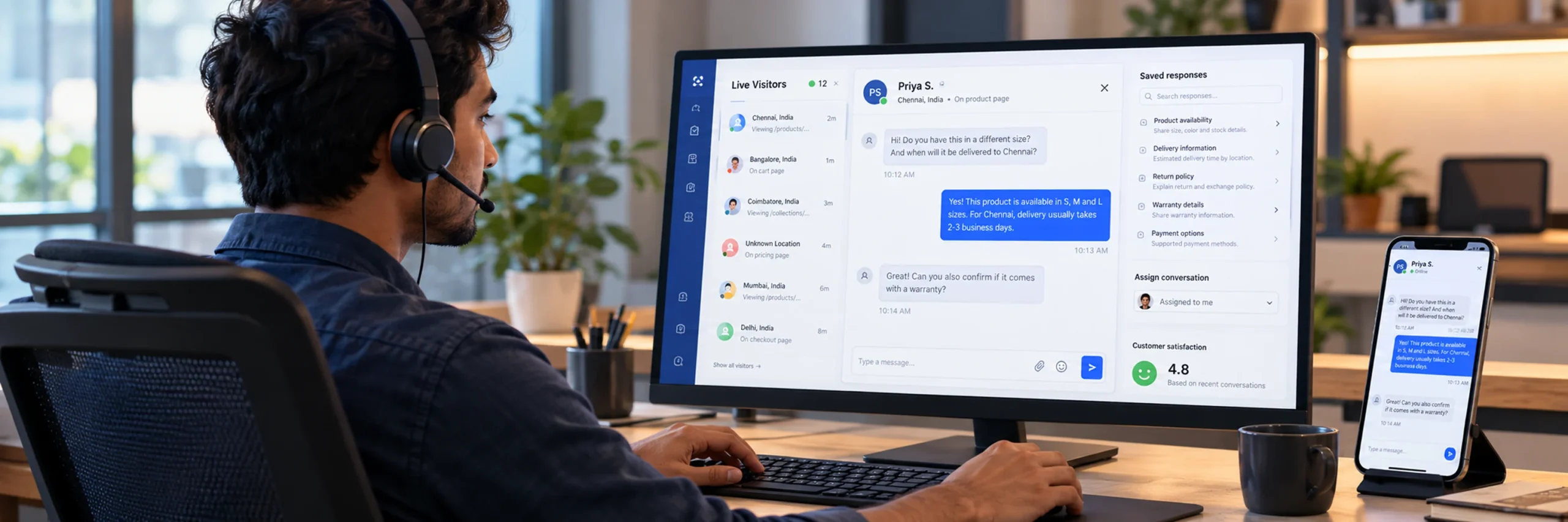
Not every chat tool is built the same way, and the feature differences genuinely affect whether the conversion data above shows up in your own numbers. Worth prioritizing:
- Real-time (not delayed) message delivery. Platforms built on WebSocket-based infrastructure sync messages, presence, and unread counts instantly — the gap between “real-time” in the marketing copy and actual delivery speed matters more than it sounds.
- Live visitor monitoring, so you can see who’s actively on your site right now, not just people who’ve already started a conversation — this is what makes proactive chat possible in the first place.
- Canned responses with quick access (slash commands or shortcuts), so common questions don’t cost an agent thirty seconds of typing every time.
- Conversation assignment and internal notes, so a sales question and a support question can be routed and handled by the right person without confusion.
- Mobile-responsive widget design, since a meaningful share of chat traffic is mobile, and abandonment rates run measurably higher on mobile when a widget is clunky or slow to load.
- CSAT tracking, so you can measure whether chat conversations are actually landing well with visitors, not just assume they are.
- Offline messaging, so a visitor outside your staffed hours can still leave a message rather than hitting a dead end.
A platform like YS Desk, for example, is built around exactly this combination — WebSocket-based real-time messaging, live visitor monitoring included from the free plan, canned responses with slash-command shortcuts, conversation assignment with internal notes, and CSAT surveys — so a small business can put the practices above into place without stitching together several separate tools.
Common Mistakes That Quietly Kill Live Chat’s Conversion Impact
- Installing it and forgetting it. A chat widget with a 20-minute average response time doesn’t get the 2.8x conversion lift the data promises — it gets the opposite, since a slow, unanswered chat actively signals that nobody’s paying attention.
- Making every trigger feel like a pop-up ad. Proactive chat works because it’s well-timed and relevant. A message that fires the instant someone lands on the homepage, before they’ve seen anything, reads as an interruption rather than help.
- Using chat only for support, never for sales. As covered above, this is one of the most common ways businesses underuse a channel that’s already working — the visitor with a pre-purchase question is often the easiest conversion in your entire funnel, if someone’s actually there to answer.
- Treating canned responses as the whole answer. A pre-written reply that ignores what the visitor actually asked erodes the trust chat is supposed to build.
- No plan for after-hours traffic. A chat widget that goes completely silent outside business hours, with no offline message or email capture, quietly converts a visible feature into a broken one for a meaningful share of your traffic.
- Never measuring response time as an actual metric. Teams that don’t track it are usually surprised to learn their real average is well above the 60-second threshold that keeps conversion intact — measuring is the only way to know whether chat is helping or quietly hurting.
Frequently Asked Questions
Yes — this is one of the most well-documented findings in conversion research. Forrester’s Customer Experience Index found visitors who use live chat are 2.8 times more likely to convert than those who don’t, and independent studies consistently show a 10–30% overall conversion lift when chat is implemented and staffed well.
Under 60 seconds during staffed hours is a reasonable target for most small businesses, and the data shows conversion drops meaningfully once response time exceeds about 90 seconds. Every 30 seconds of delay on a pre-sales chat reduces conversion probability by roughly 7%, so response speed is worth treating as a real metric, not an afterthought.
Proactive chat — greeting a visitor based on behavior rather than waiting for them to click first — consistently outperforms purely reactive chat, reducing cart abandonment by up to 30% in some studies. The key is timing it around genuine hesitation signals (time on a pricing page, a return visit, pausing at checkout) rather than firing immediately on page load.
No — treating it that way is one of the most common ways businesses underuse it. 70% of B2B companies use live chat specifically for lead generation, and pre-purchase questions are often where chat delivers its biggest conversion impact, since it catches a visitor at the exact moment they’re deciding whether to buy.
Yes, but the experience has to actually be built for it — mobile chat abandonment runs meaningfully higher than desktop when a widget is slow to load or awkward to use on a small screen. A mobile-responsive widget with fast load times is a requirement, not a nice-to-have, given how much chat traffic now comes from phones.
An honest offline message with email capture performs far better than a widget that simply goes silent. Telling a visitor a realistic wait time, or letting them leave their email for a follow-up, keeps the conversation from being a dead end — leaving no message at all is what actually damages trust, not the fact that a human wasn’t instantly available.
For many small businesses, well-staffed human chat outperforms an AI-first setup, especially early on — the priority is speed and accuracy, not automation for its own sake. A chatbot becomes genuinely useful once you’re fielding high volumes of repetitive questions; until then, a fast human response is usually the higher-converting option.